0%

Harmony

Helping students protect their mental health through better time management
Role
UI/UX Designer
Project Duration
8 weeks (class) + 2 weeks (refinement)
Team
4 Designers

Context

During the pandemic 73% of students reported increased stress and isolation. Many features of existing productivity apps help students work more, but oftentimes, the social aspect and accountability is taken away from it. How might we help students with helping with their wellbeing and being more social?

The Problem

Students drown in work and forget to live. 

Post-COVID students face a triple threat:

⏳︎

Packed schedules with no time for breaks

⚡︎

Burnout from poor work-life balance

☹︎

Isolation from avoiding social activities

Research

Existing apps optimize for work, not particularly wellness.

We researched popular apps used among students and analyzed 3 popular time management apps like Google Calendar, Apple Calendar, and TickTick and 2 productivity focused apps like Flow and Apple Fitness. Each of these apps leaned heavily into productivity and work over the social/hangout aspects of it.

What they did well:

  • Calendar event creation and customization
  • Notifications and reminders
  • Social accountability (Apple Fitness only)

What they were missing: 

  • No way for automatic break scheduling
  • Focus blocks weren’t seamlessly carried over into a person’s life
  • Group event creation is tedious (adding people one-by-one)
  • There was no way to track social health alongside productivity

App Feature 1 Image
App Feature 2 Image
App feature 3 Image

Design Decisions

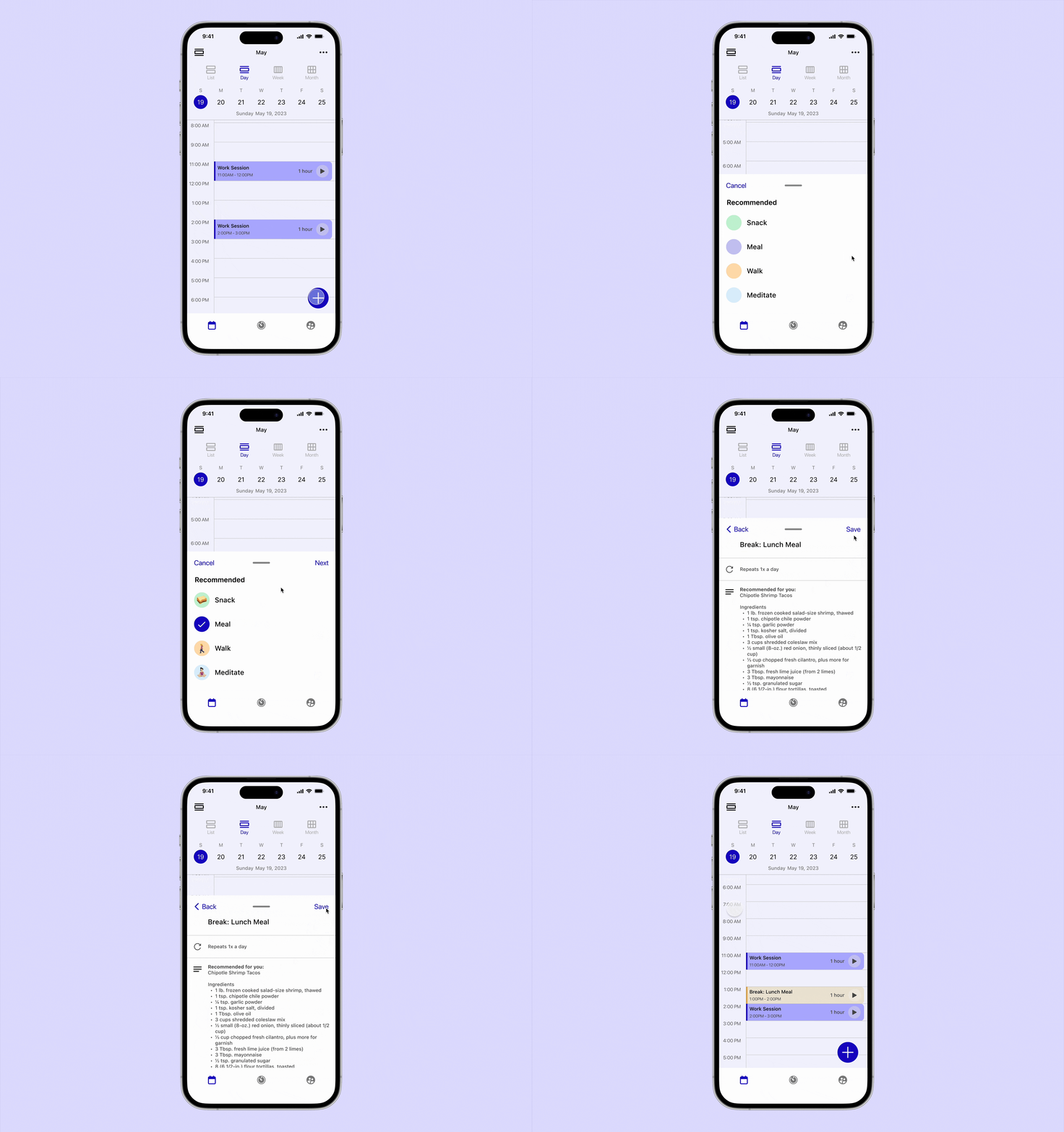
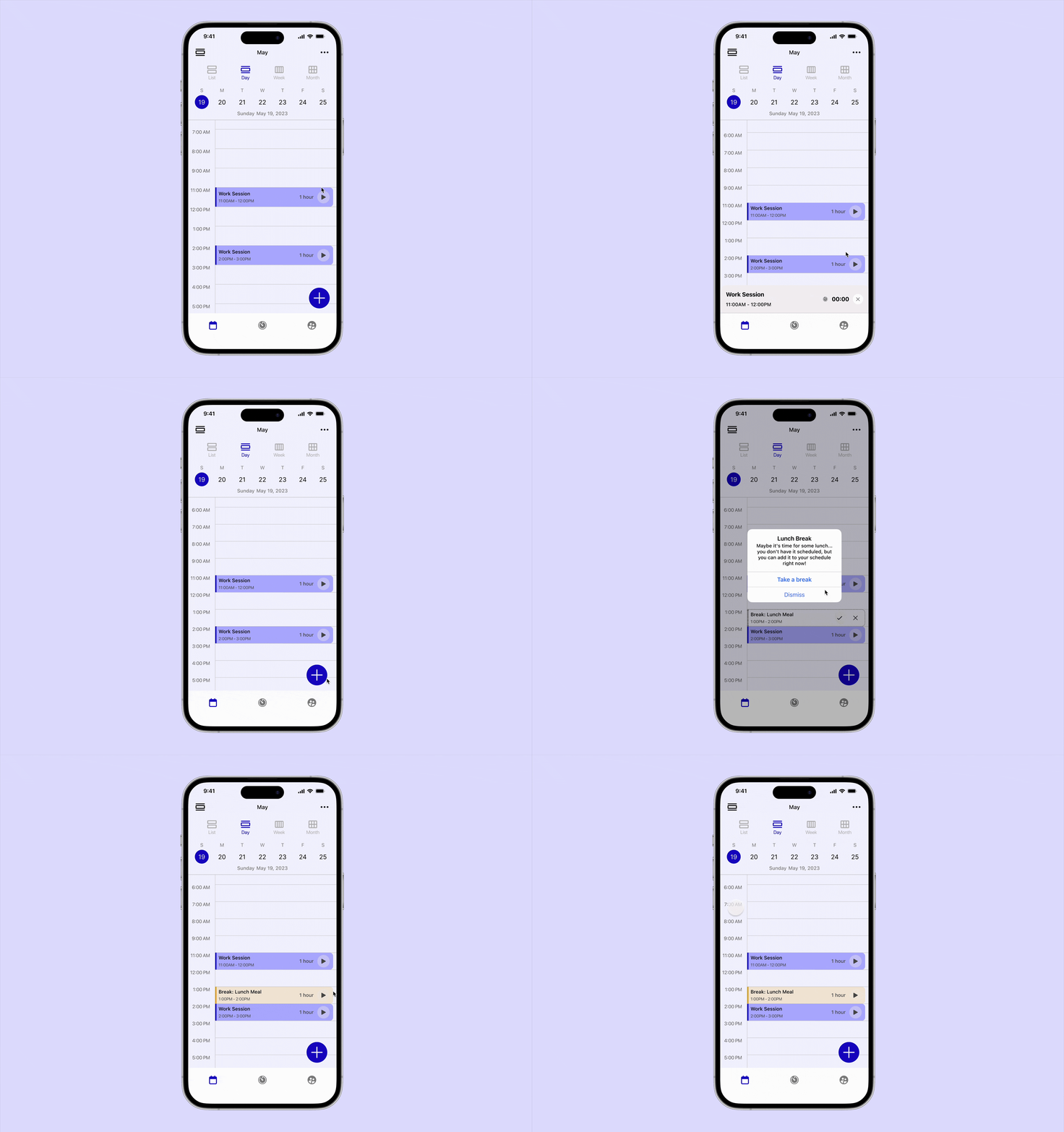
Smart Recommendations students will actually use.

⭐︎ Removes the burden of remembering self-care. The app acts as your wellness advocate.

Feature 1 Image

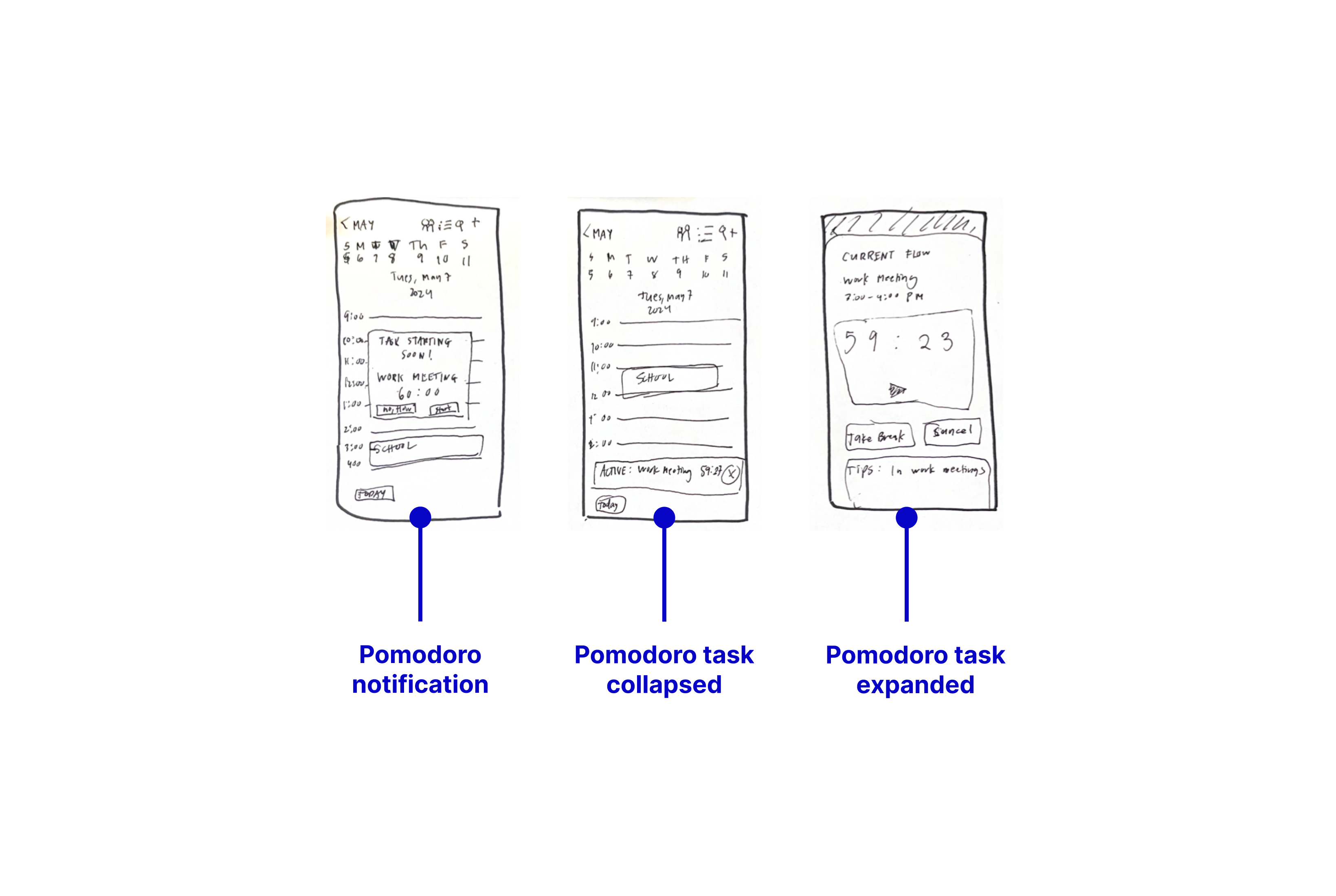
Pomodoro built into your calendar, not a separate app

⭐︎ One app, one source of truth. Reduces context switching and makes time management feel seamless.

Feature 2 Image

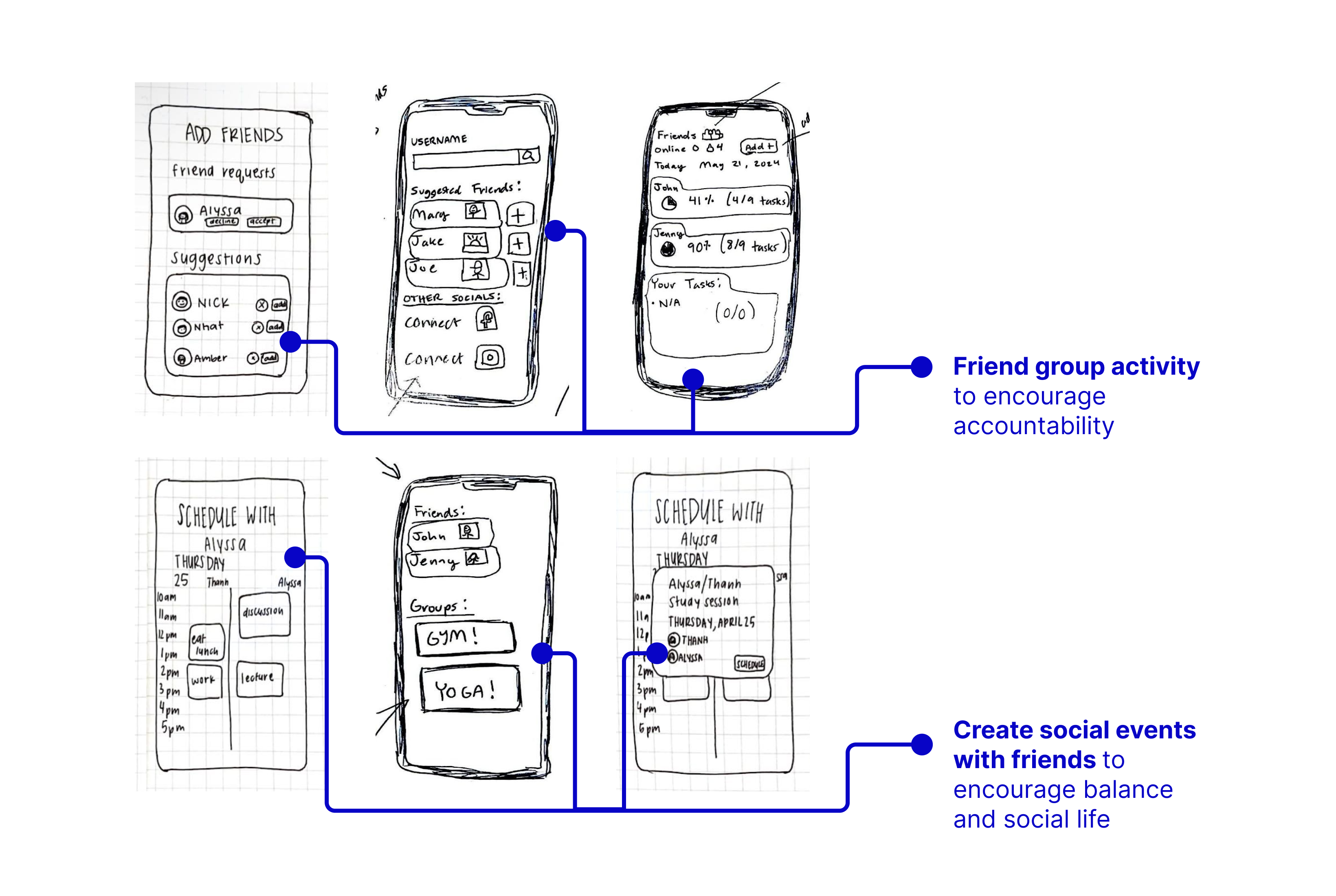
Social hangouts, simplified

⭐︎ Makes socializing as frictionless as possible. The easier it is, the more likely students will actually do it.

Feature 3 Image

Notable Inslights

What we learned from testing

We tested paper prototypes with 3 university students, giving them realistic scenarios: "You have a busy week of midterms. Use Harmony to plan your schedule and include time for friends."

Results:

  • 3/3 participants (100%) immediately understood the concept
  • 3/3 completed all tasks successfully
  • Smart break reminders were the most-loved feature
  • All participants expressed interest in using the app

Key insights:

⚠ Pomodoro navigation was confusing – 2/3 participants got stuck when starting a task from a calendar event

⚠ Social metrics created anxiety – participants worried about comparing themselves to friends

What we changed:

→ Simplified pomodoro UI: Moved "Start Task" button to calendar event card (not buried in event details)

→ Made social comparison opt-in: Show your own progress by default, let users choose to see friends' activity

Solution

Smart Break Recommendations

Harmony automatically suggests meal and break times when you’ve been working too long. No manual scheduling for the breaks is required.

Solution

Integrated Focus/Pomodoro

Focus sessions are built directly into calendar events. Students can start working with one tap and automatic breaks are included.

Record - Start Task GIF

Social Hangout Events with Groups

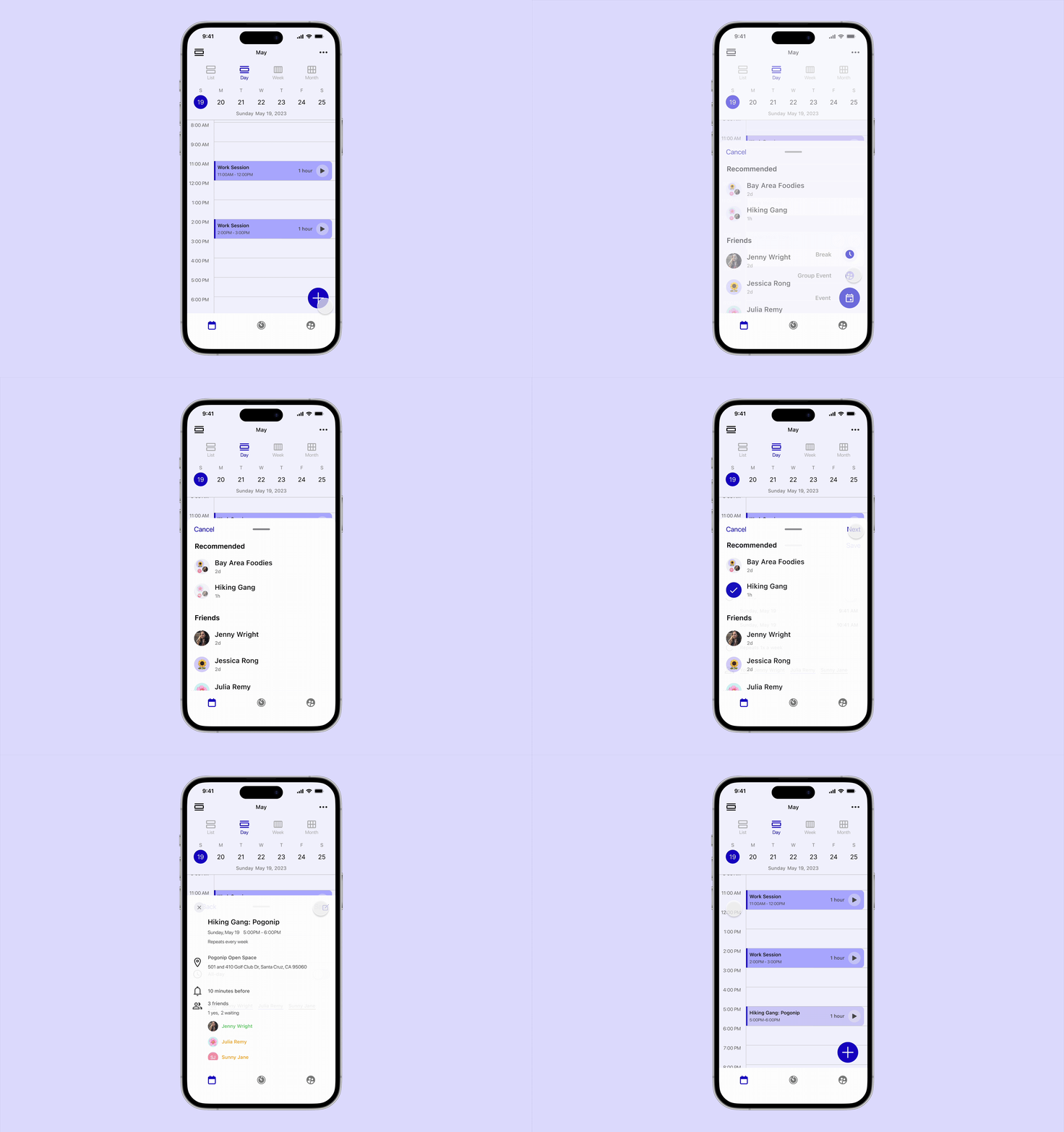
Preset friend groups to make scheduling social time as easy as scheduling work. Track social health and see how you met social goals compared to friends.

Record - Group GIF

Completing the Vision

After the initial 8-week class project, I spent 2 additional weeks refining Harmony to address testing feedback and complete unfinished features.

What I added:

User persona: Created a detailed persona to keep the team aligned on who we're designing for

Information Architecture: Mapped the entire app structure to identify navigation pain points

Design System: Consolidated components and primitives to ensure visual consistency across all screens